
01
Make room for your words
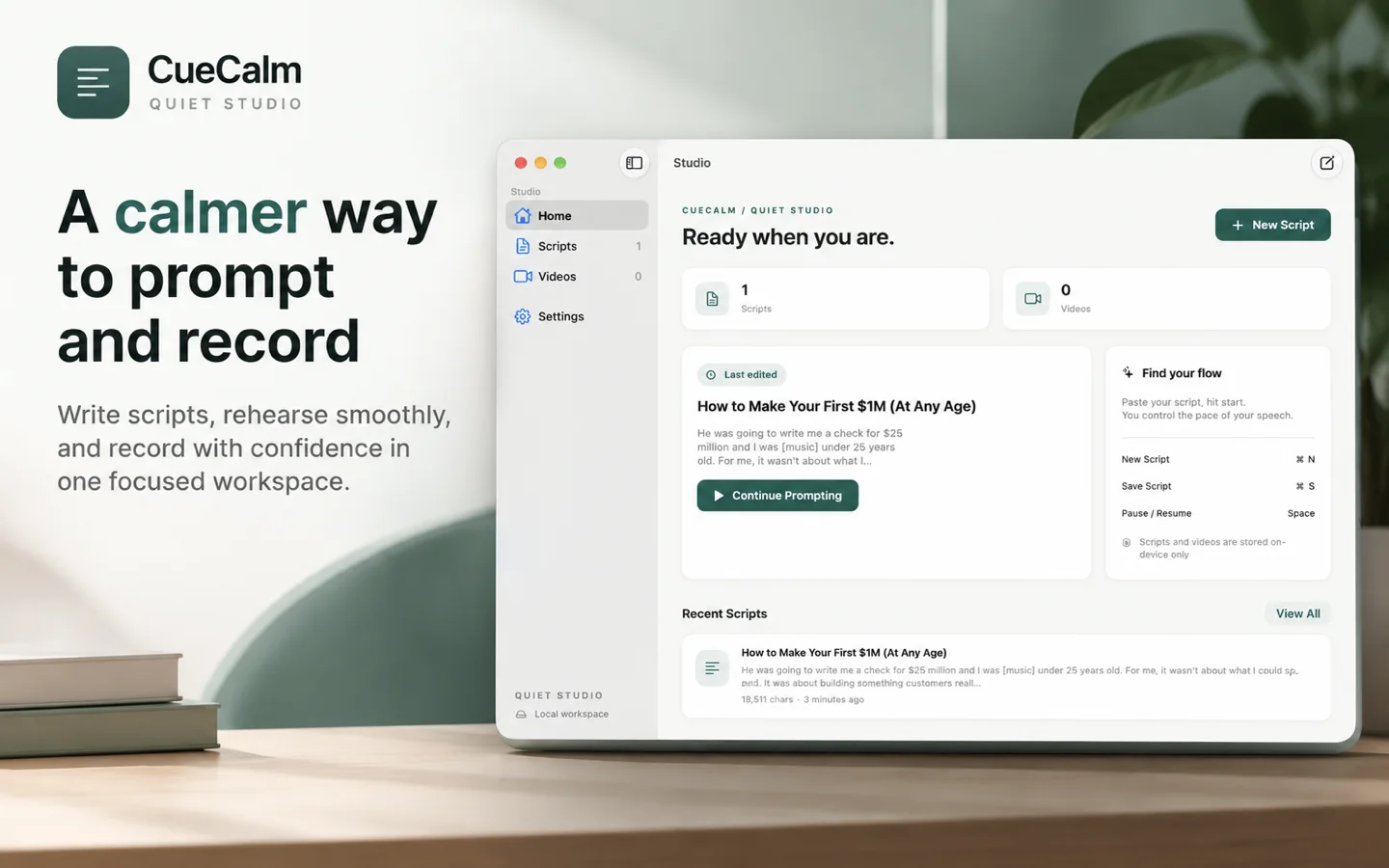
Write, edit, and organize your scripts. Pick up exactly where your last idea left off.
A QUIET STUDIO. A CLEARER VOICE.
A calmer way to prompt and record. Bring your scripts, your voice, and your next great take together in one focused Mac workspace.
Made for macOS 26+·App Store release in preparation
FROM THE FIRST DRAFT TO THE FINAL TAKE
One thoughtful workspace for everything that happens before you press “done.”
Write, edit, and organize your scripts. Pick up exactly where your last idea left off.
Choose voice following or a steady scroll. Adjust the text and reading position until it feels right.
Rehearse with a clean display or record with your camera. Your saved video stays free of prompter text.
A LITTLE LESS FRICTION
Thoughtful controls that make space for a natural delivery.
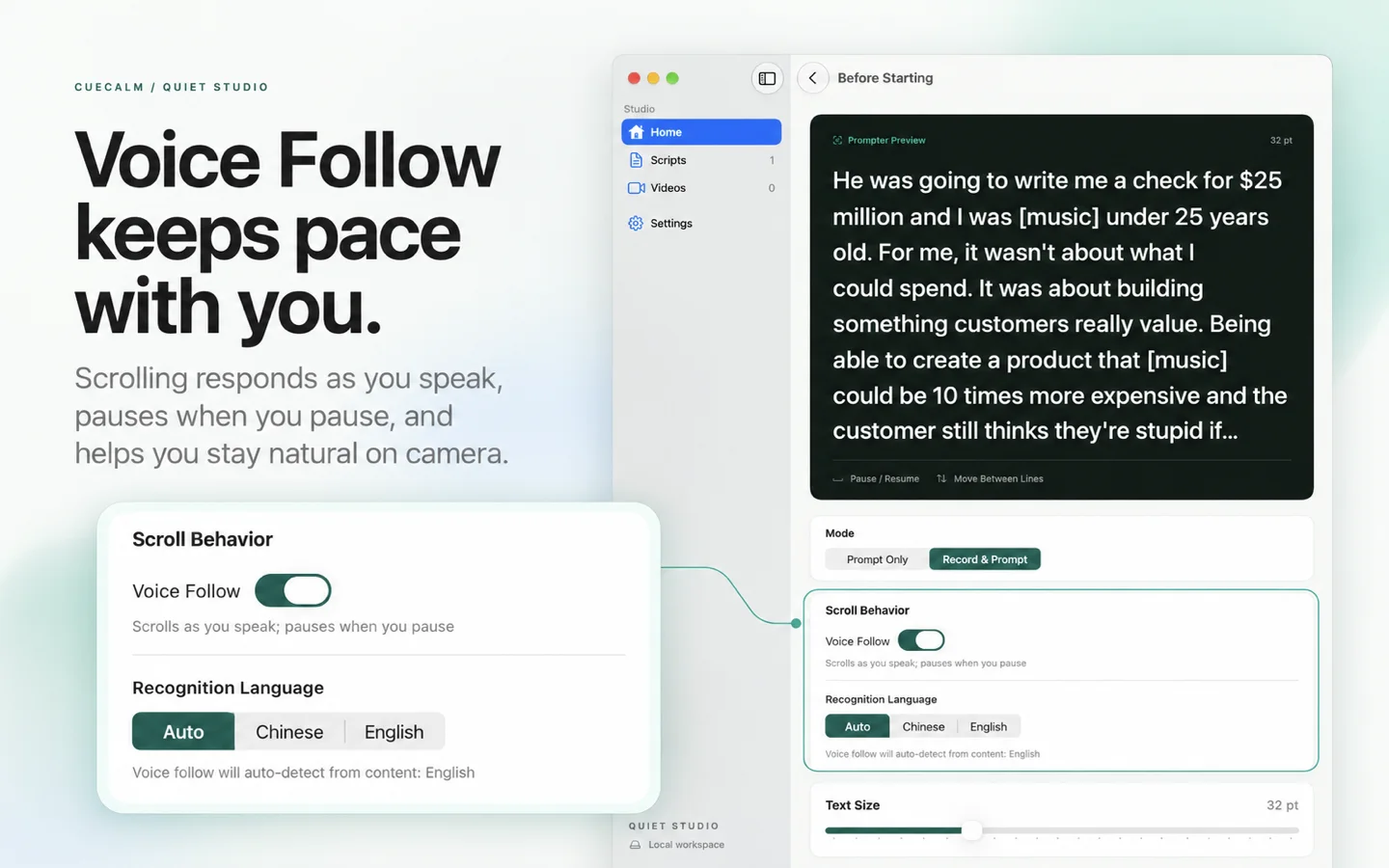
On-device recognition follows your reading in English or Mandarin. Take a pause; your script can wait.
Product screenshots shown in English.
PRIVATE BY DESIGN
Scripts and recordings stay on your Mac. Speech recognition runs on-device. No account to create, and no automatic upload of your work.
An internet connection may be needed to download Apple language resources. Sharing only happens when you choose it.Read our privacy policyYour privacy choices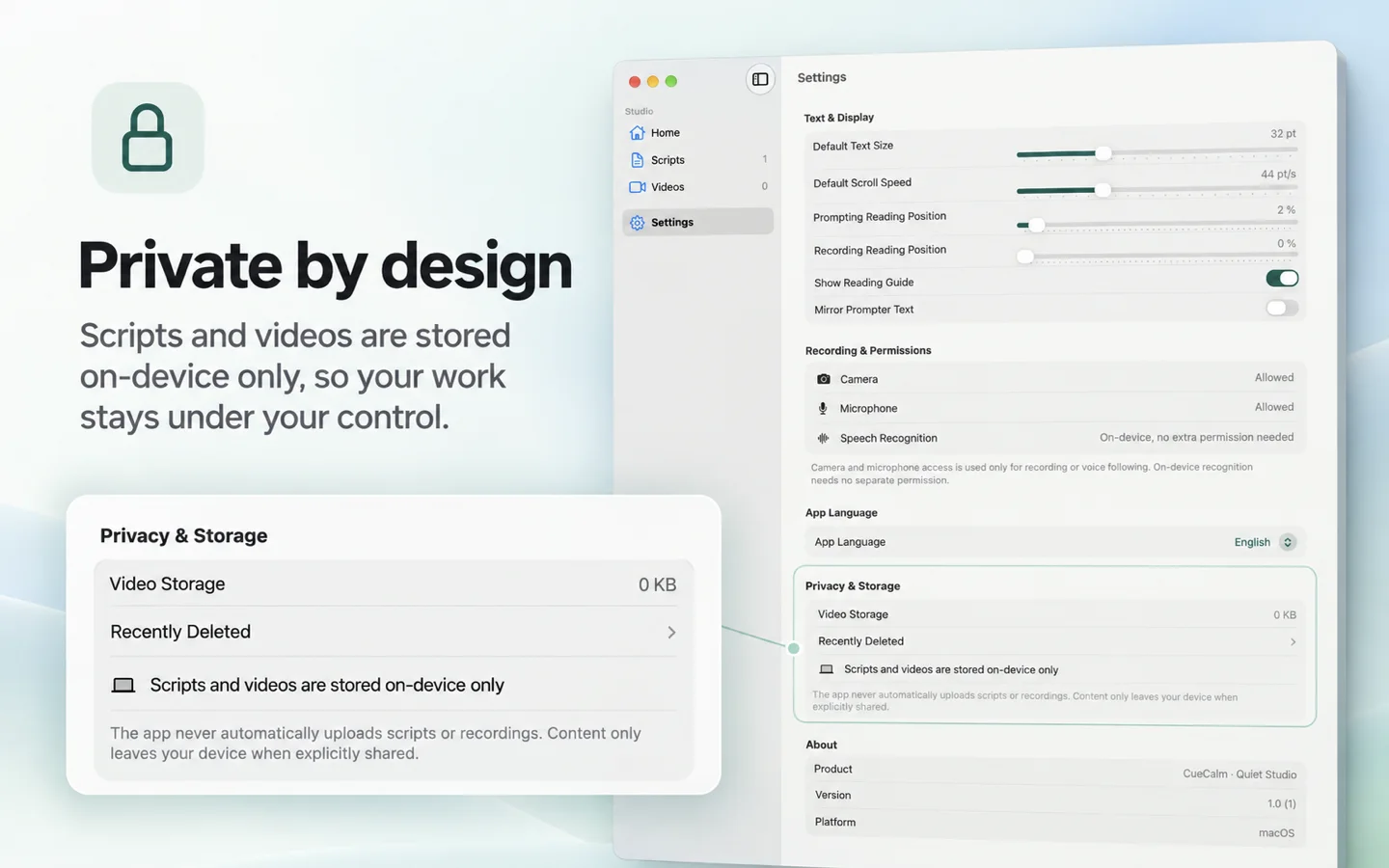
CueCalm Studio requires macOS 26 or later. Voice following also needs a supported on-device speech model for the selected language.
No. Camera recordings contain the camera video and microphone audio. The teleprompter text and controls are not added to the saved movie.
Yes. Choose Prompt Only to rehearse or deliver your script. Fixed-speed prompting does not require camera or microphone access. Voice following uses the microphone.
Check microphone access in System Settings → Privacy & Security, select the matching recognition language, and allow any language-model download to complete. You can use fixed-speed scrolling while you resolve recognition issues.
Scripts and recordings are stored in the app’s local container. Use the video library to reveal a recording in Finder or share it through the macOS share menu.
CUECALM STUDIO
Your next lesson, presentation, or story starts with a little more calm.
Get in touchMade for macOS 26+ · App Store release in preparation